OVERVIEW
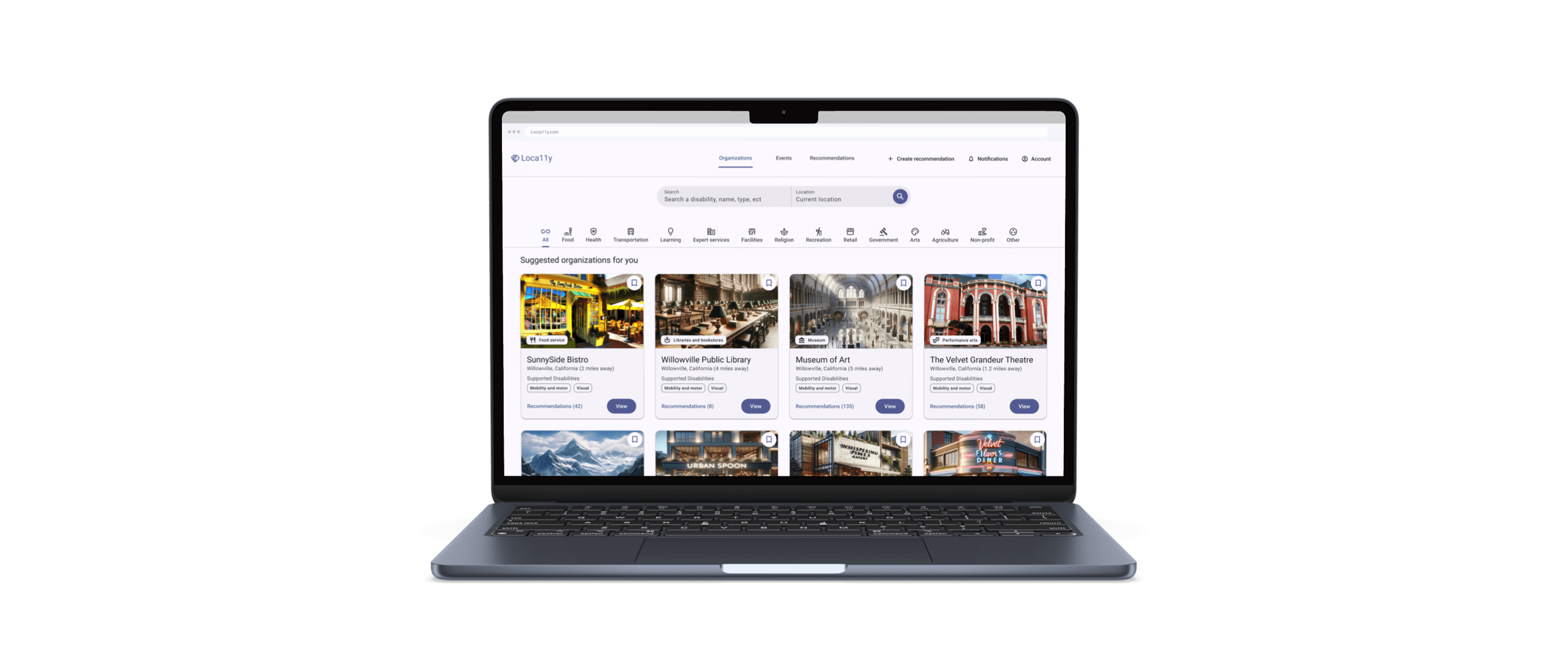
During my internship with Accessible Community, I helped design an accessibility-focused review and search system, improving how users with disabilities discover organizations and trust accessibility-related info.
YEAR
2022
TEAM
1 PM · 2 Engineers · 2 Researchers · 1 UX designer (Me)
ROLE
UI/UX Designer
THE PROBLEM
Business goal
Create a web-based tool to streamline users (caretakers and people with disabilities) creating and discovering accessibility-focused ratings on local businesses & events.
Problem
Most rating tools lack effective ways to find accessibility information on local businesses, leading to time-consuming searches and low trust in ratings.
RESEARCH PROCESS
How are people with accessibility needs finding local organizations and events that are accessible to them, what info is important for them, and how can we design a tool that enhances their process?
Analytics
Gathered quantitative and qualitative data through interviews and surveys to identify pain points and define opportunities in accessibility info discovery.
Market research
Conducted a competitive audit of rating platforms to identify best practices for search, reviews, and rating presentation.
User journey mapping
Created variations of current actions and how users feel when completing actions to uncover areas of opportunity.
INSIGHTS
Quantitative findings
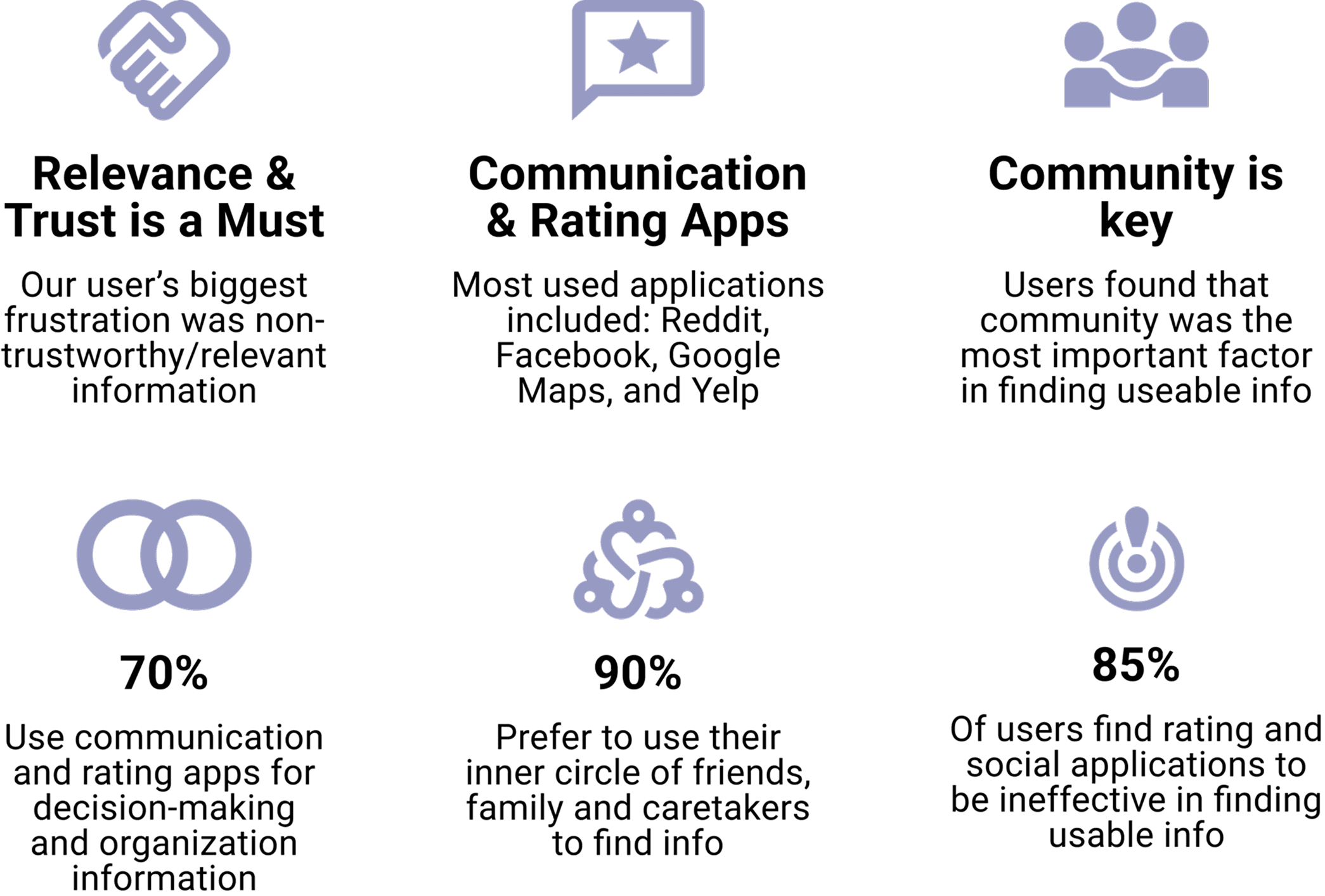
Findings showed that users face low trust and high effort when searching for accessibility information, often relying on community feedback but lacking clear, reliable signals to guide decisions.
Qualitative findings
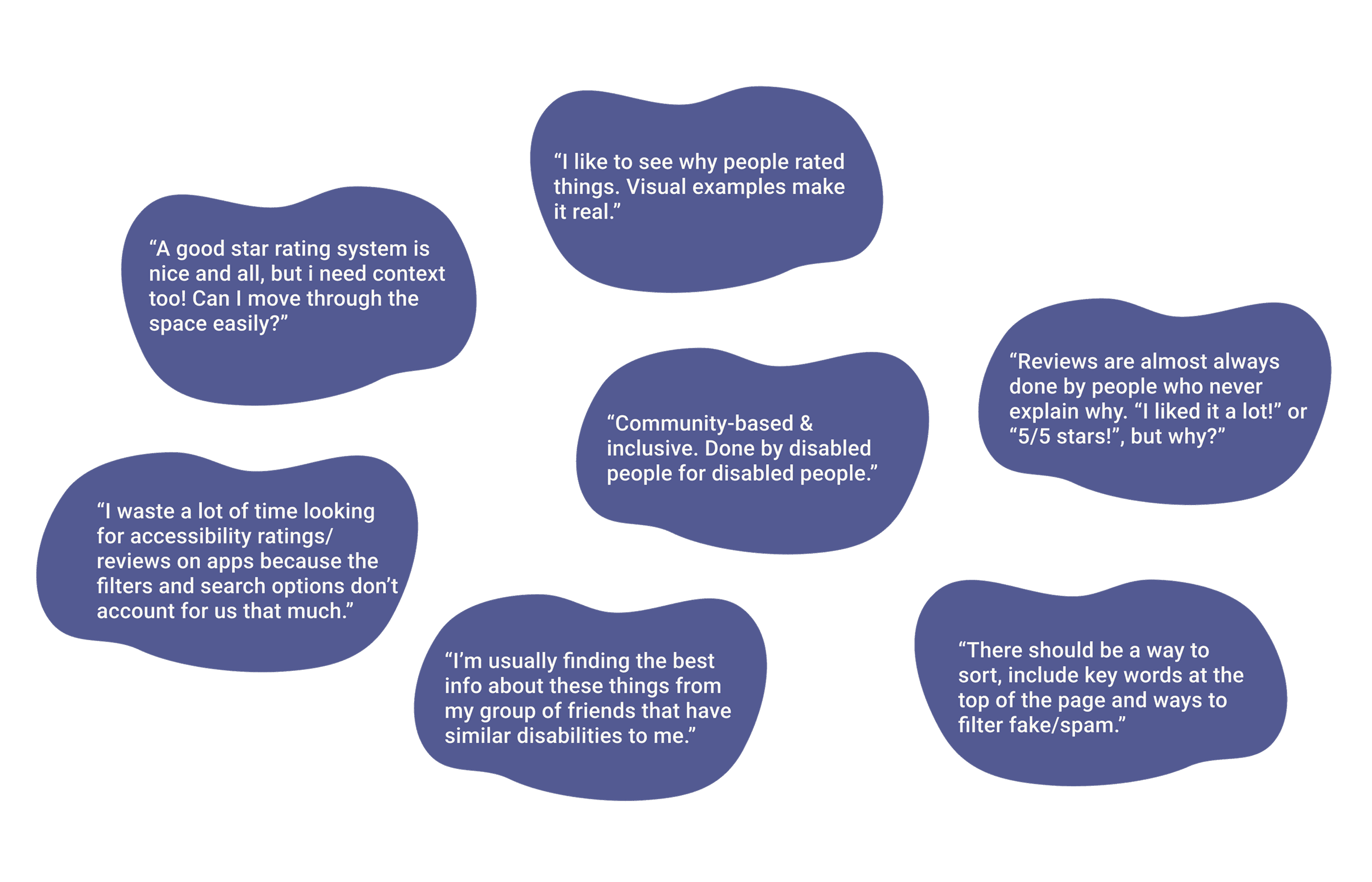
Qualitative insights revealed that users need more context behind ratings, including detailed explanations, visuals, and disability-specific information, while also relying heavily on community-driven insights due to a lack of trust in traditional reviews.
Lack of trust and reliance on community
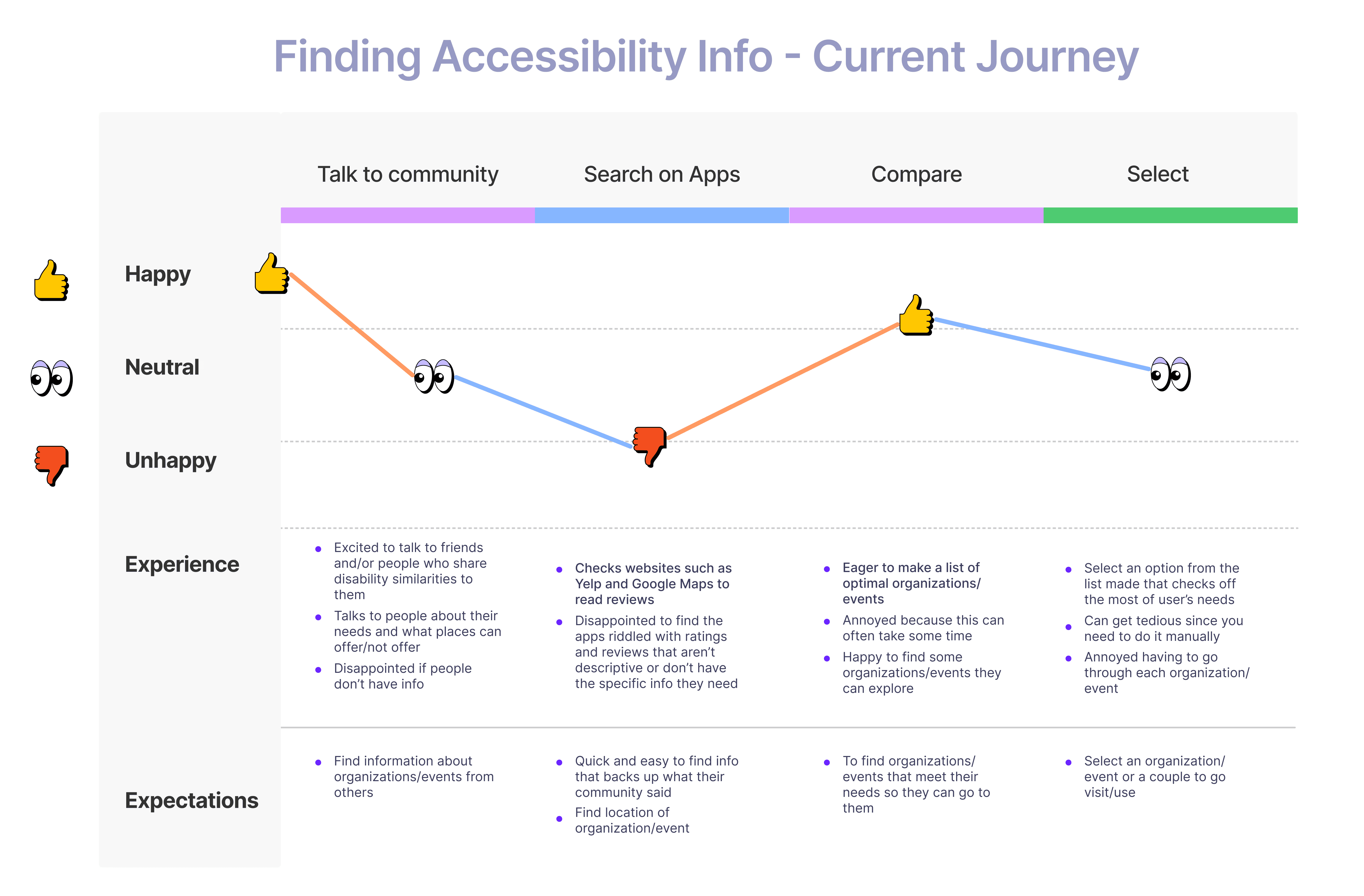
The journey map highlights a reliance on community-driven insights, followed by frustration with low-quality information on existing platforms, leading to a time-intensive comparison and selection process.
Key findings
Info seeking within community
Most used tools to find accessible info were community focused and sharing of qualitative info.
(Reddit and Facebook = most used)
Lack of trust in rating tools
Trust is low for rating/review tools citing lack of context, lack of proper ways to filter/search for specific accessibility needs.
Review > Rating
Without context (images + detailed reviews) tools used to rate accessibility lose their credibility and effectiveness.
SOLUTION
Using the research findings and insights we met with stakeholders and advised on a direction keeping ratings within the tool but emphasizing reviews including images and detailed context to boost trust.
Tailored search experience
Search and filter by organizations, events, or recommendations. Use tailored filters and a location map to refine results, view distance, and see relevant accessibility ratings.
Display of key info on specific organization page
Organization pages include key info surrounding contact, hours of operation, photos and most importantly accessibility recommendations/ratings for easy and fast info consumption.
Streamlining creation of trusted reviews
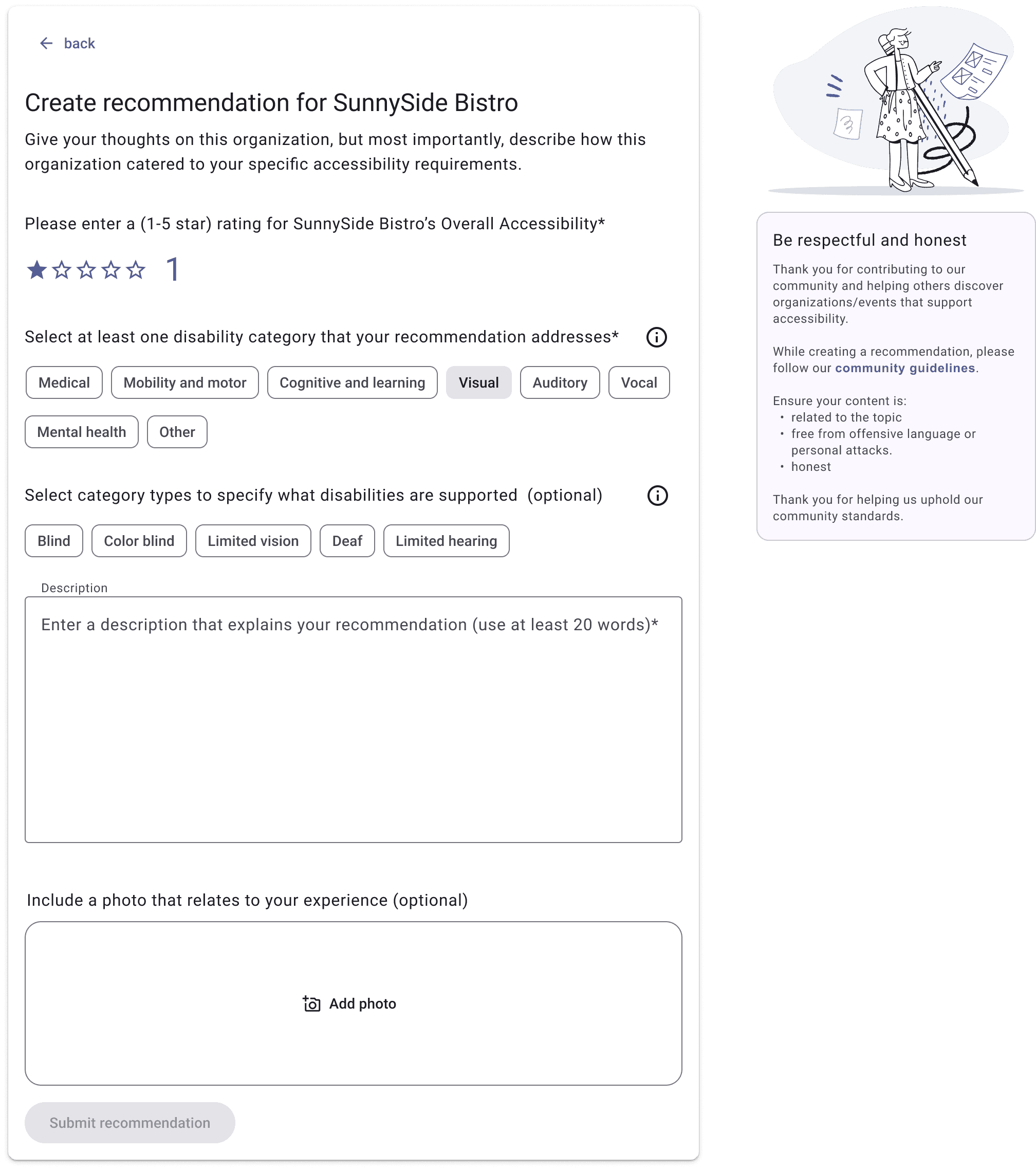
On an organization page, select “Recommend” to streamline the process, or use “Create Recommendation” in the navigation to access it anywhere. Reviews require detailed context (copy limit) and follow community standards.
DESIGN DECISIONS
Review-based system won
Created low-fidelity prototypes to test rating vs. review-based systems, with reviews preferred for their added context and trust. Findings were shared with stakeholders to guide design direction.
Find Accurate Information Efficiently
Main filter area shows information based on the selected area a user would like to focus their search on.
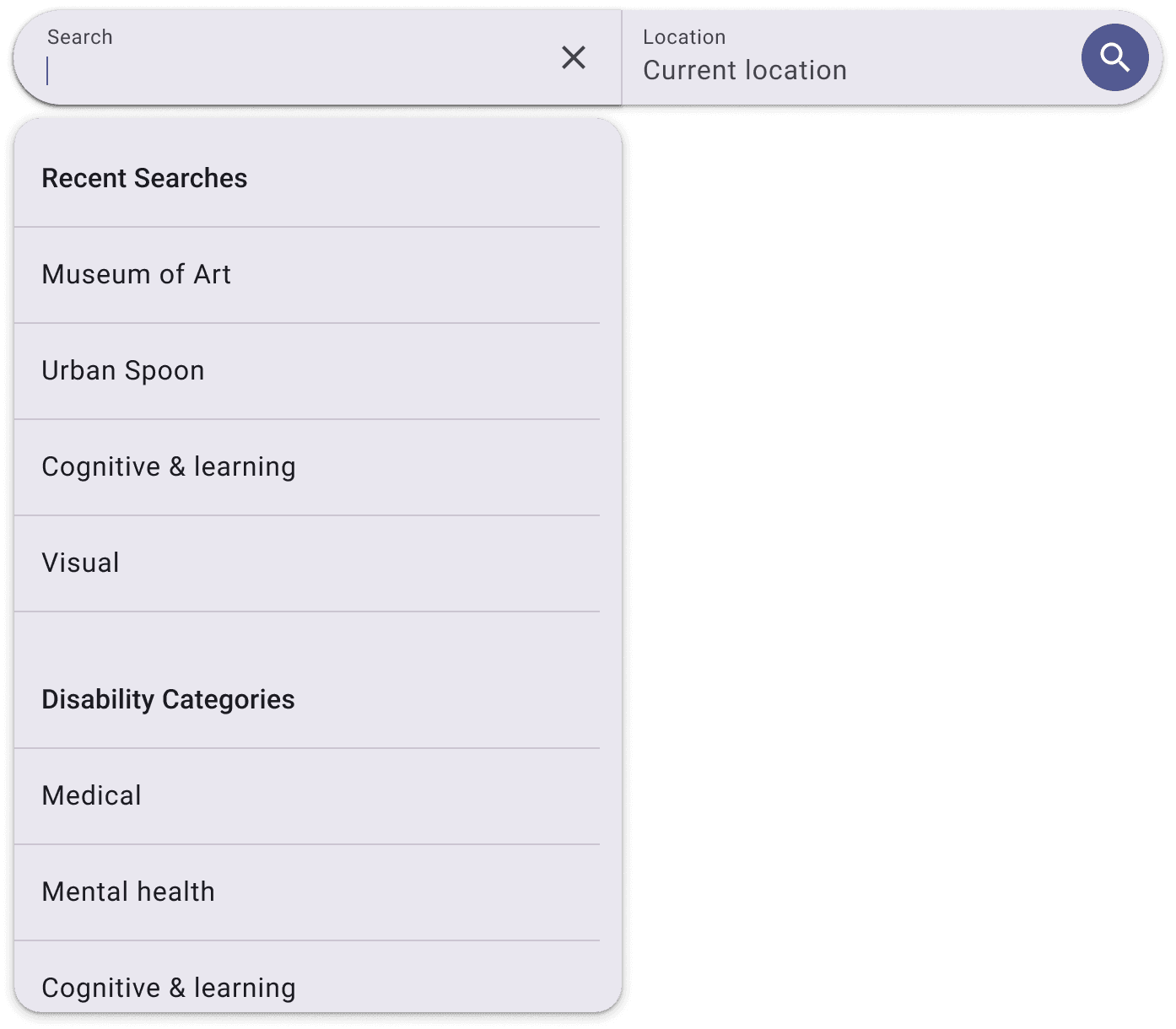
Search bar allows for users to search based on recent searches and categories regarding disabilities for more relevancy.
Sub-filters based on main filter selection (info provided by Accessible Community) to categorize and deepen level of search.
Main filter area

Search bar
Sub-filters
Organization-based filters

Event-based filters

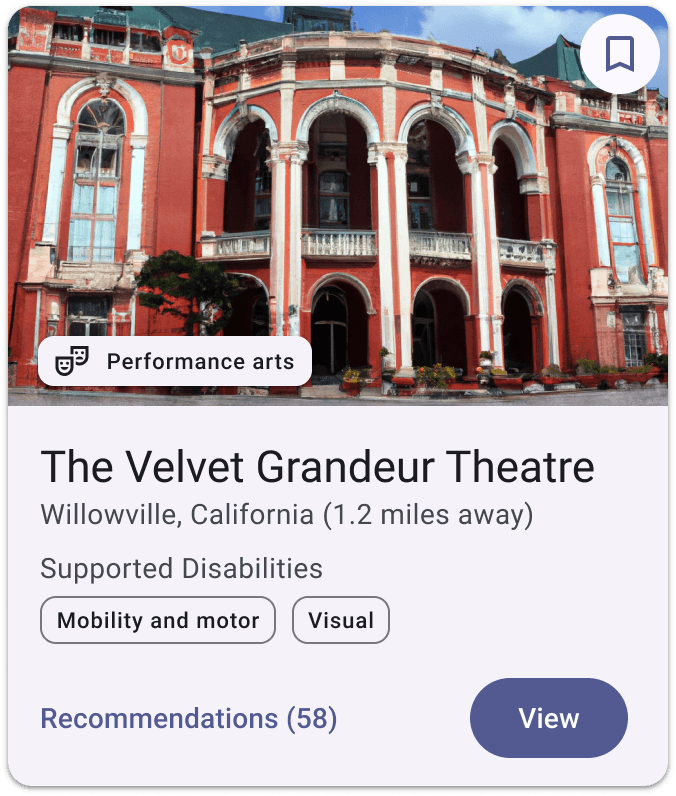
Organization + Event cards
Cards display key details at a glance—category, supported disabilities, recommendation count, and save option—with a clear “View” CTA.
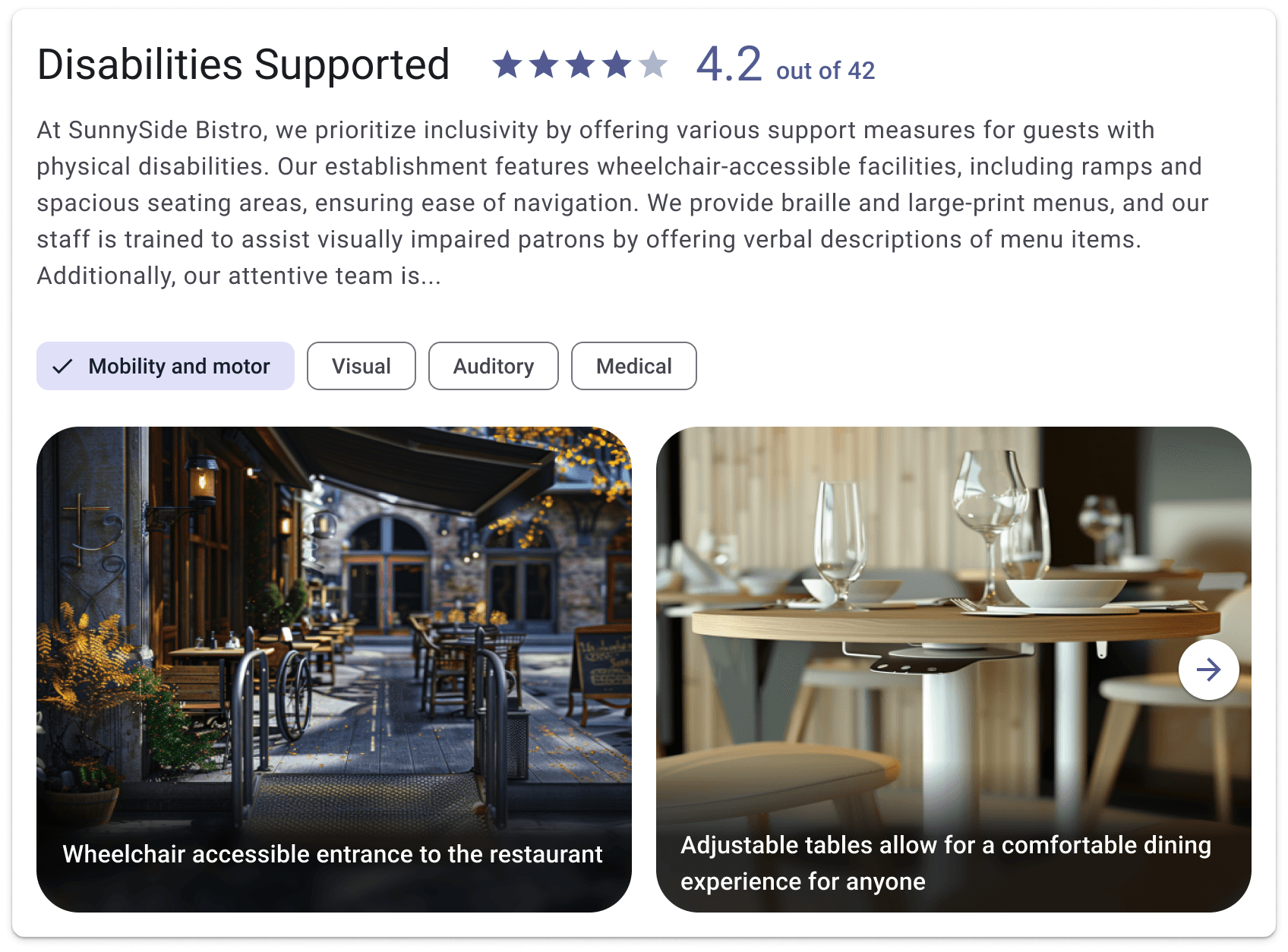
Organization/Event accessibility rating area
Below the general business info, users can find a clear display of accessibility rating categories, a summary created by the company, an overall rating, and images related to add context and boost trust.
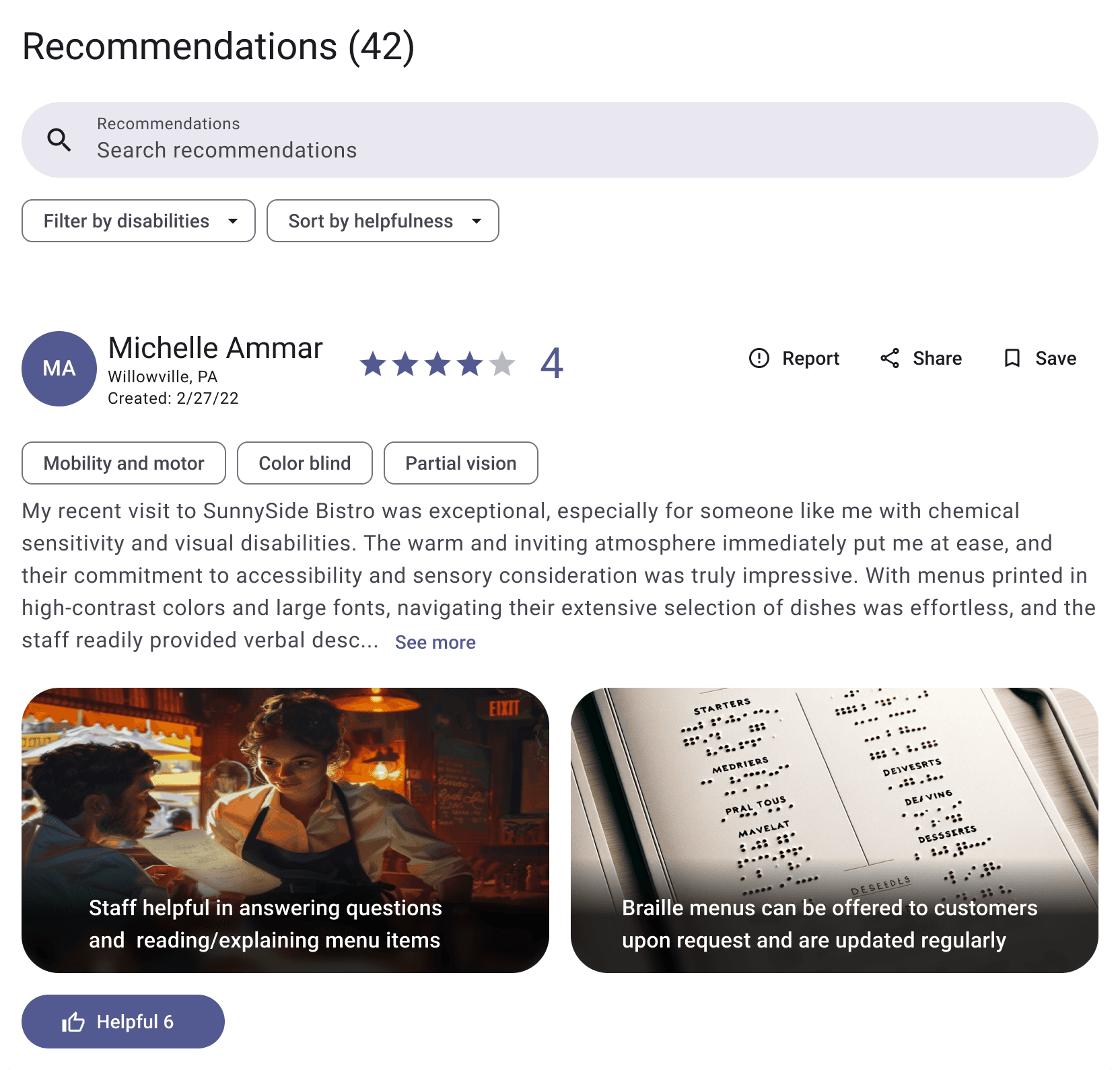
Search and filter for reccomendations
Below the accessibility rating area, users can search and filter for specific ratings allowing for deeper and more tailored exploration of a particular org/event.
Users can say if the review was helpful, share, report and save to ensure high quality and support management of recommednation info.
Recommendation page ensures trust & quality
The recommendation page enforces requirements (rating and 20-word minimum) to ensure meaningful context, and includes community standards to guide high-quality, respectful reviews.
OUTCOME
When conducting usability tests, majority of users perceived the web tool as an improvement over other tools.
Trustworthiness
(80%, n=15) of participants found this to be more trustworthy than other rating tools.
Location of key info
(87%, n=15) of participants were able to locate the information they needed to make a decision on a business.
Ease of writing a recommendation
(73%, n=15) of participants found creating a recommendation to be at least easy to do.
Confidence in curbing low-quality reviews
(57%, n=15) of participants believed our system would curb fake reviews with most saying they think adding an image as part of the review should be necessary.